Store Audit: Overview & Dashboard
Last updated: August 25, 2026
What is Store Audit?
Store Audit is a feature within Worksmith Workforce that allows your organization to evaluate store performance through structured, configurable checklists.
Audits can be conducted by field teams, regional managers, or store managers themselves, giving leadership an objective, consistent view of compliance and standards across all locations.
Store Audit now includes scoring your organization defines: sections, auditor guidance, weighted points, a passing score, and grade bands, so an audit scores itself the way your ops team already thinks about performance.
Who Can Perform Audits?
Audits can be performed by multiple roles depending on your organization’s workflow:
Field team members (e.g., visiting a store on behalf of leadership)
Regional or area managers conducting scheduled visits
Store managers performing self-audits, which can be appropriate in certain situations.
For example: Stores that are geographically far from field teams or regional managers can self-audit to maintain accountability between visits without waiting months for someone to travel out.
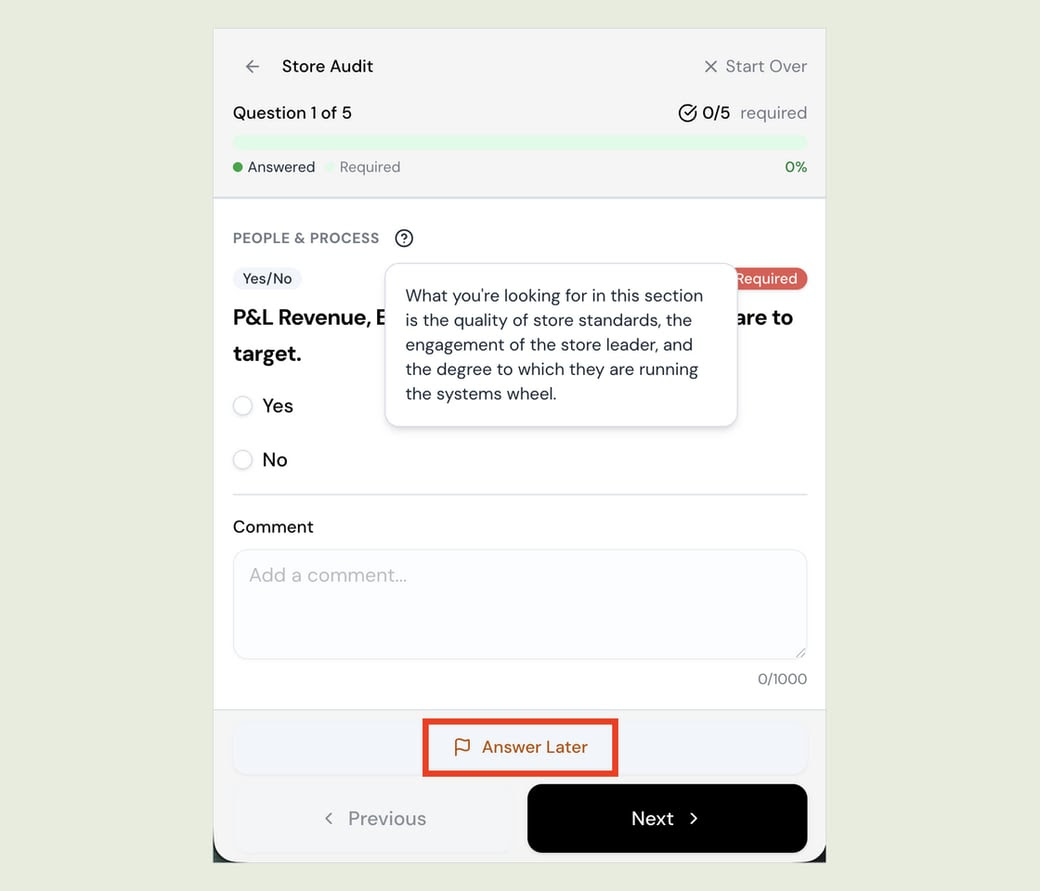
Store Audit V2 also gives auditors more room to work a live sales floor: audits no longer force a stop when a required question can't be answered in the moment, so an auditor can keep moving through the floor and come back to it.
Navigating to Store Audit
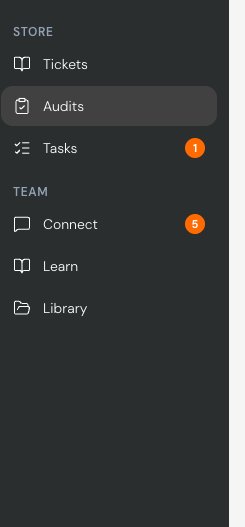
To access Store Audit, navigate using the left sidebar menu and select Audit. The dashboard will load showing your store audit activity and summary data.
Building an Audit Template
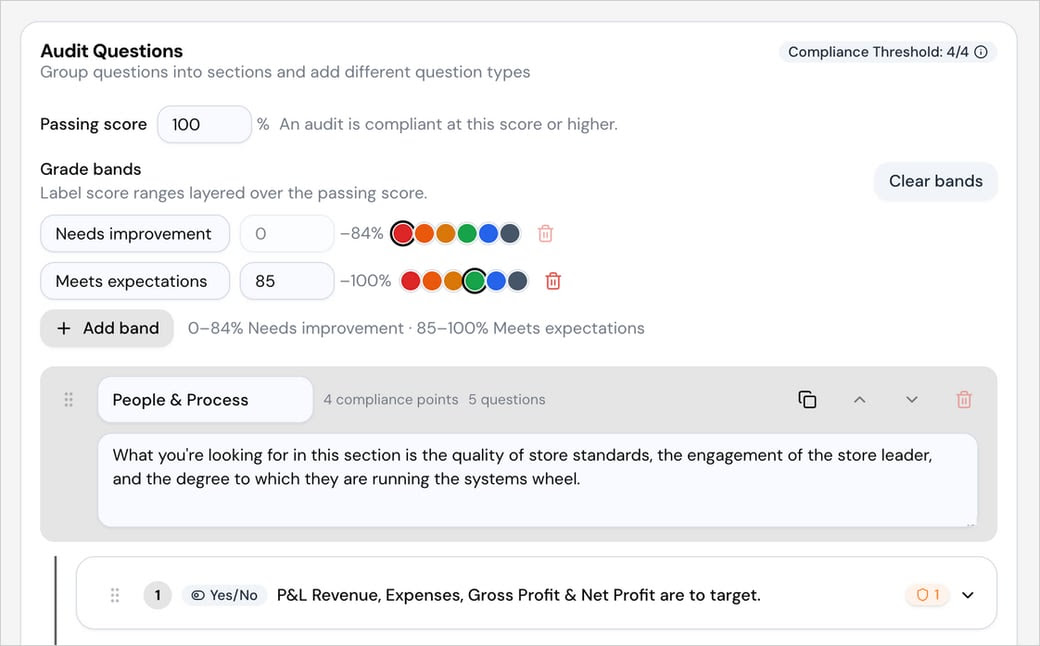
Store Audit V2 adds new template components so your audit scores itself the way your organization already evaluates performance:
Sections — group related questions together for a clearer walkthrough and cleaner reporting. For example, a "People & Process" section might tell the auditor what to look for — store standards, the store leader's engagement, and how well the team runs its systems — before they answer the questions in it.
Compliance points — weight individual questions so the ones that matter most count for more toward the score, rather than every question counting equally.
Passing score — set the score an audit must meet or beat to be considered compliant (e.g., 100%).
Grade bands — label score ranges layered over the passing score, such as "Needs improvement" (0–84%) and "Meets expectations" (85–100%), so a percentage reads as language your field team already uses.
Answer Later
A store visit rarely runs in the order the form does. With Answer Later, auditors can flag a required question and keep moving, then come back to it before submitting. The audit still holds them to every required answer — it just stops making them stand in the stockroom waiting on a manager to get there.
The Dashboard
The Store Audit dashboard gives leaders a high-level view of audit activity across all stores. From the dashboard you can see:
Which stores have recently been audited and by whom
Stores that are overdue for an audit
Overall compliance trends across your store portfolio
Historical performance data for individual audits or all audits combined
With Store Audit V2, dashboard analytics now roll up across stores, making it easier to spot trends across your full portfolio rather than reviewing store by store.\
Redesigned: A New Store Audit, and Analytics
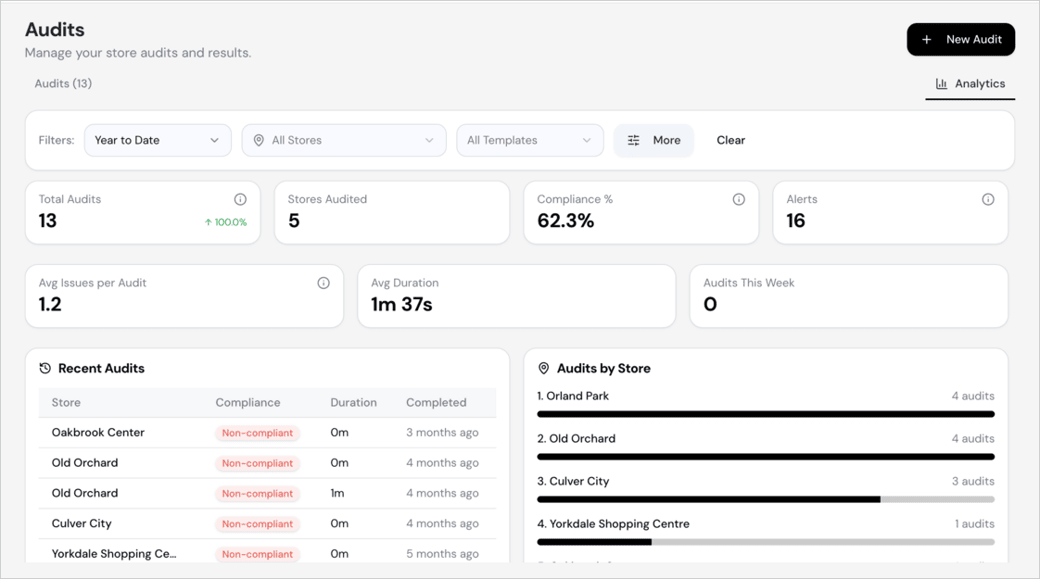
Store Audit now matches the rest of the Workforce application, so anyone who already uses Tasks or Learning knows their way around it on sight. The Analytics tab is the bigger change: compliance rate, open alerts, average issues per audit, average duration, and a per-store breakdown, all filterable by date range, store, and template. You can see which locations are drifting while there's still time to do something about it.
At a glance, the Analytics tab surfaces:
Total Audits, Stores Audited, Compliance %, and Alerts as top-level summary tiles
Avg Issues per Audit, Avg Duration, and Audits This Week for a read on pace and thoroughness
A Recent Audits list showing each store, compliance result, duration, and how long ago it was completed
An Audits by Store breakdown ranking locations by audit volume
All of it can be filtered by date range, store, and template, so you can narrow in on a single location or template as easily as viewing the whole portfolio.