AI Assistant: Customizing Your AI Assistant (Sidekick)
Last updated: April 3, 2026
Overview
Your store’s AI Assistant — called a “Sidekick” — can be personalized to feel like a natural part of your team. Administrators can give it a custom name and avatar so it reflects your store’s brand, culture, and personality.
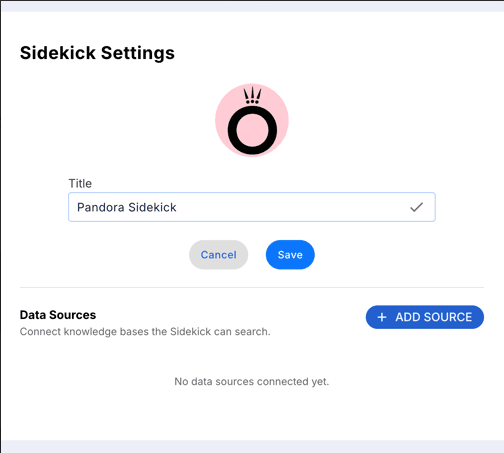
You can rename the AI Assistant to anything that suits your store. The name appears throughout the interface so staff always know who they’re chatting with.
Create a Custom Name
Navigate to Sidekick Settings in your admin panel.
Click on the Title field.
Type your chosen name (e.g., “Pandora Sidekick”, “ShopBot”, “Max”).
Click Save to apply your changes.
Navigate to Sidekick Settings in your admin panel.
Click on the Title field.
Type your chosen name (e.g., “Pandora Sidekick”, “ShopBot”, “Max”).
Click Save to apply your changes.
Custom Avatar
Upload a profile image or icon to represent your Sidekick.
In Sidekick Settings, click the avatar circle at the top of the panel.
Choose or upload your preferred image.
Save your changes.