Admin Users: Platform Notifications
Last updated: October 15, 2026
The Three Types of Notifications
Every notification on the platform is delivered through one (or both) of two channels:
In-App Notifications: appear inside Worksmith Workforce itself — the moment something happens, you'll see it reflected in your notification center. These are designed for users who are actively working in the platform and need immediate visibility into what's going on.
Email Notifications: are sent to the email address associated with your account. These are designed to keep you in the loop when you're away from the platform, so nothing important slips through the cracks.
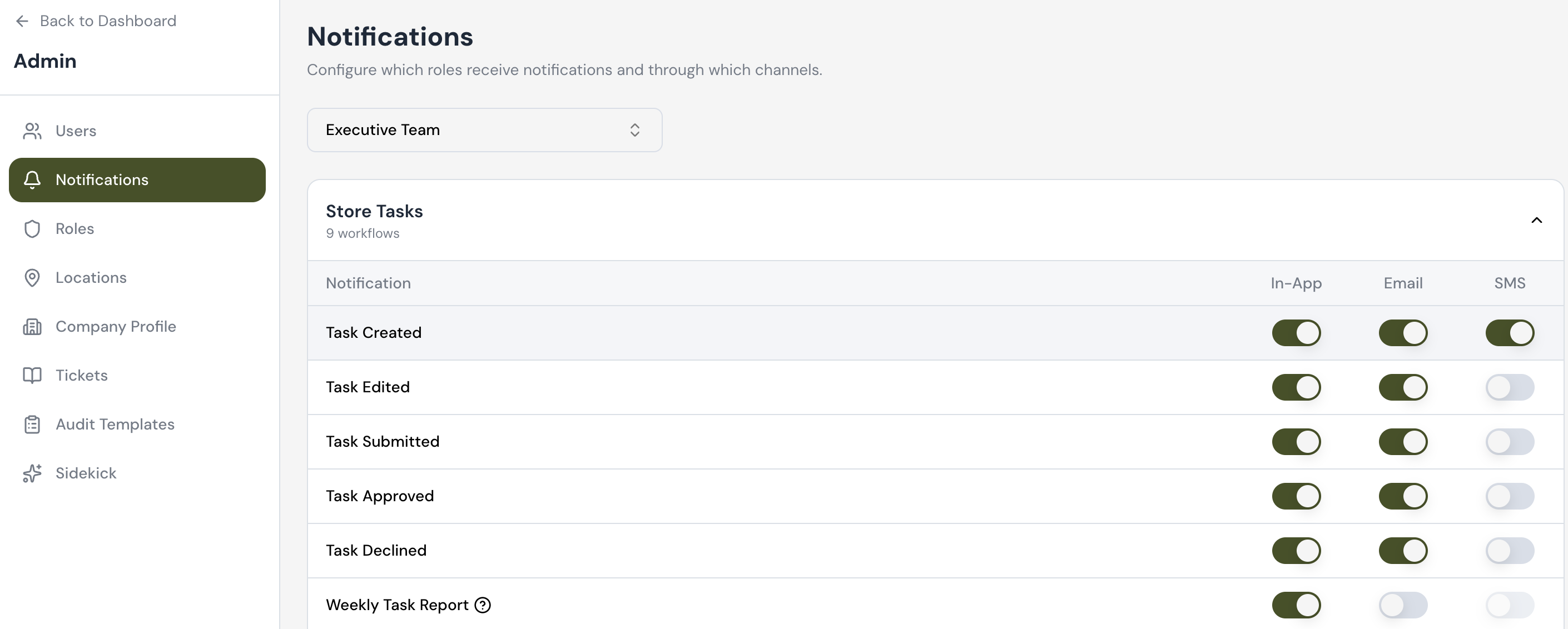
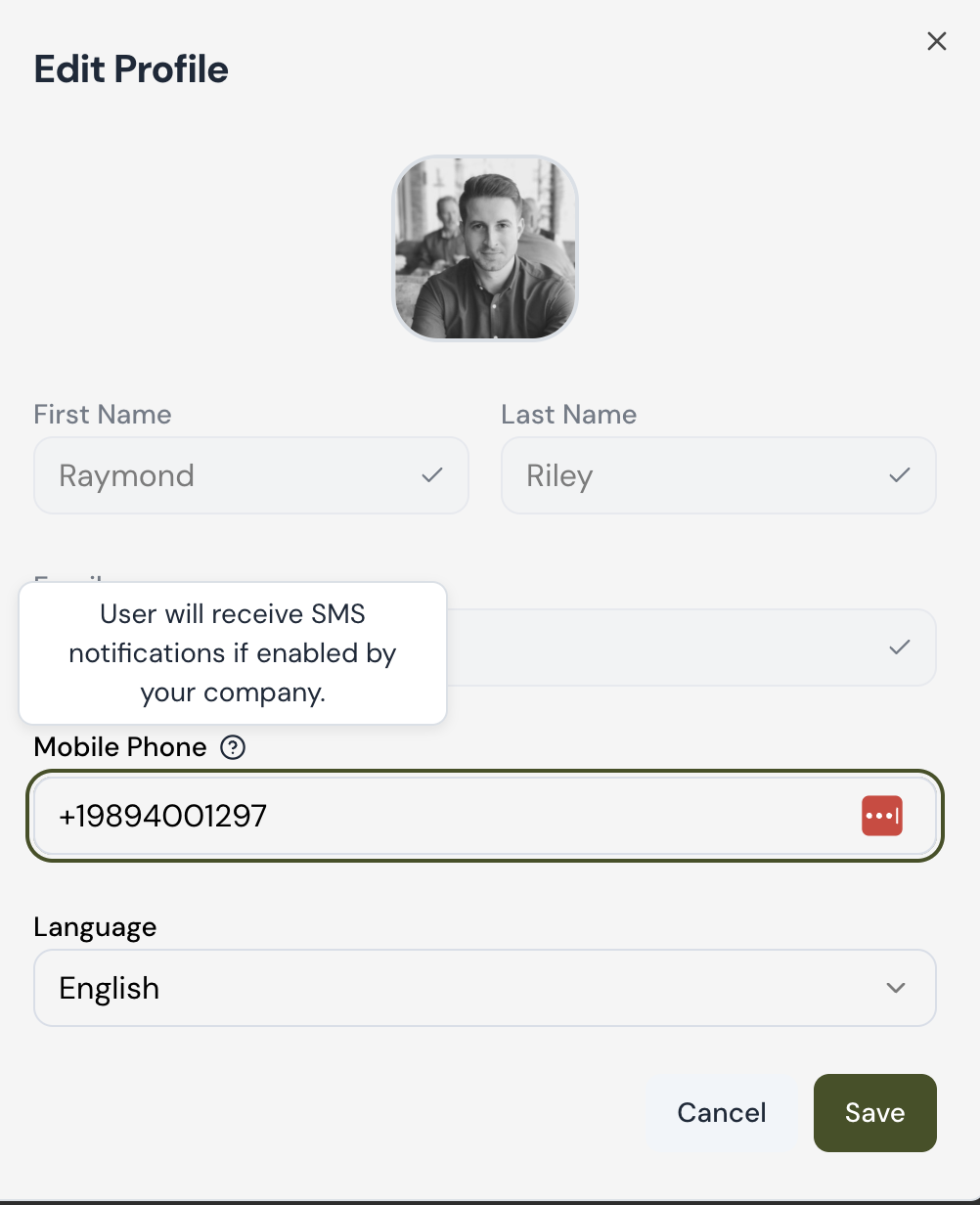
SMS Notifications: Notifications can now send by SMS in addition to email. Turning this on takes two separate steps, and both have to happen before anyone receives a text.
Step 1 — An admin turns it on:
Go to Admin: Notifications.
Find the workflow you want to send by text (each workflow has its own switch, so you choose which ones warrant SMS).
Turn on the SMS switch for that workflow.
Step 2 — Each person opts in:
Go to My Profile.
Add your mobile number. (remember to lead with the "+" before the number).
How Quickly Notifications Are Delivered
We've intentionally tuned the timing of each notification to match how urgent it is and how it's most useful to you.
Notification | In-App Delay | Email Delay | SMS |
|---|---|---|---|
Task Approved | Instant | 10 minutes | |
Task Created | Instant | 30 minutes | |
Task Declined | Instant | 10 minutes | |
Task Submitted | Instant | 10 minutes | |
User Mentioned | Instant | 30 minutes | |
User Messaged | Instant | 30 Minutes |
When to Rely on Each Channel
If you're actively working in the platform, the in-app notification center is your source of truth. It updates instantly and reflects everything happening in real time.
If you're stepping away or working primarily out of your inbox, email notifications will keep you informed — with the small delay ensuring you receive a manageable, batched summary rather than a constant stream of individual alerts.