How to Assign a Course
Last updated: September 29, 2026
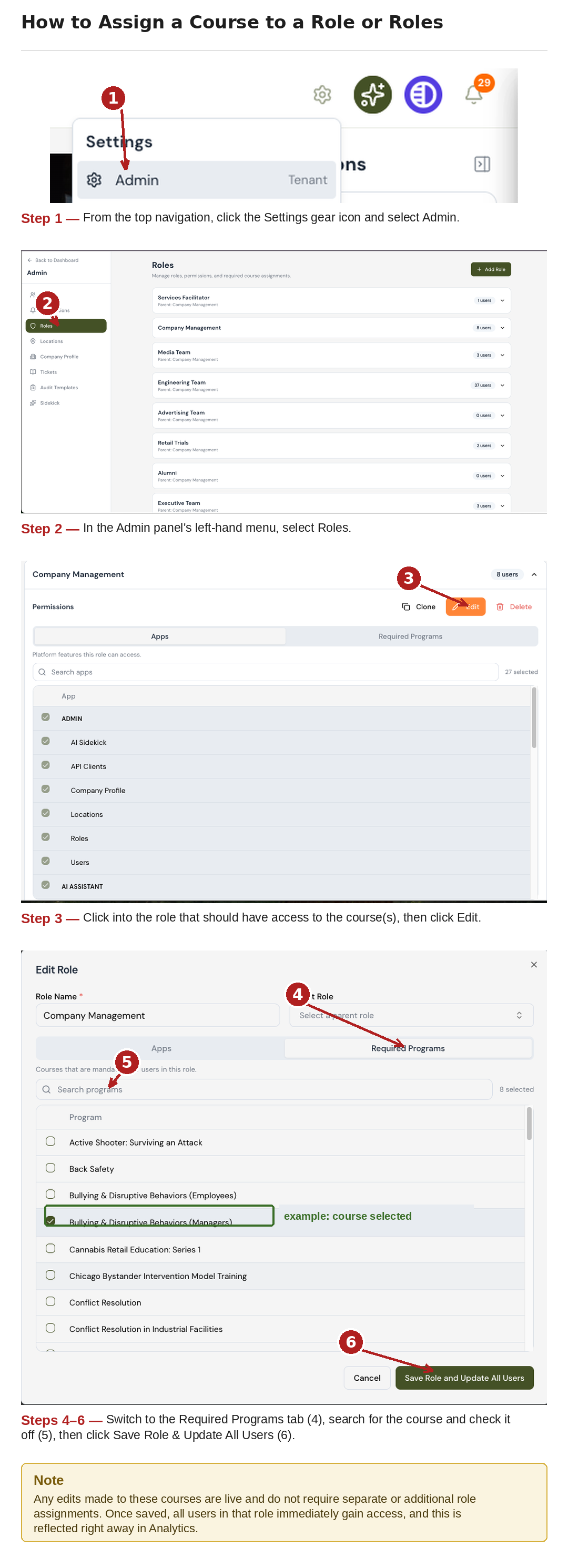
From the Admin panel, select Roles.
Edit the intended Role(s) that should have access to the given Course(s).
Select "Edit, Required Programs"
Search for the course you would like to assign the role to and check off that specific course.
Select “Save Role & Update All Users”, all users will immediately gain access to the courses designated. This will be immediately reflected in Analytics as well.
Any edits made to these courses are live, and do not require separate or additional role assignments.