Editing a Task: Reassigning Locations & Scheduled Task Table View
Last updated: October 15, 2026
You can now add or remove assigned locations directly on a task that's already out, whether it's a one-time task or a scheduled one.
How to Edit a Task's Assigned Locations
Stores open, close, and change hands — and you don't need to rebuild a task from scratch just to keep it current. Here's how to update it instead:
Search to find the task you want to update
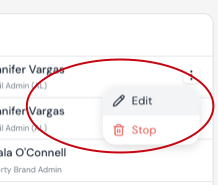
Click the three dots (⋯) to the right of the task.
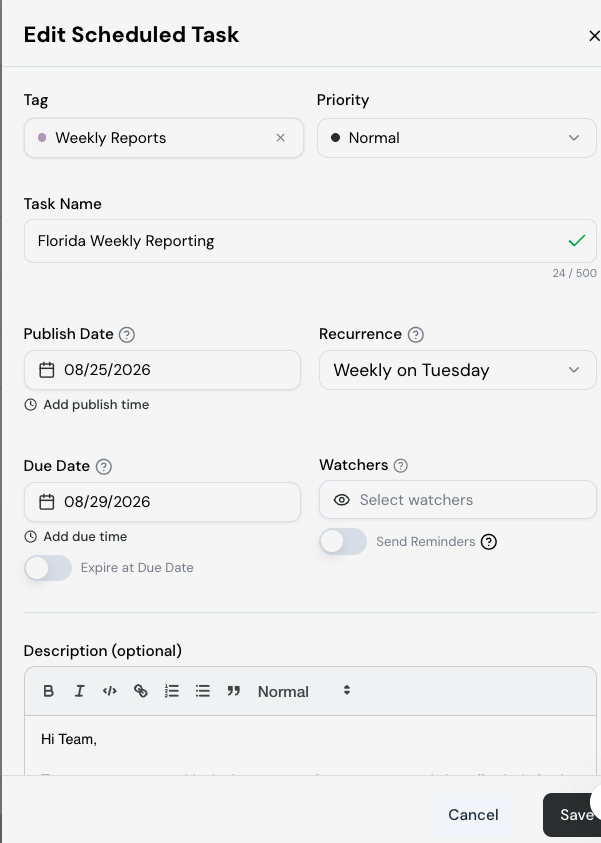
Select Edit Task (or Edit Scheduled Task if it's a recurring task).
Add or remove assigned locations to reflect what's changed.
Make any other changes needed, then save.
Scheduled Task Table View
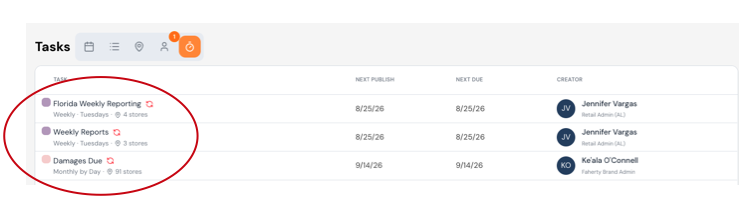
Recurrence frequency, assigned stores, and other key details now show right in the table — so you can tell what a scheduled task does without opening it.